
VidSage

Watch Smarter. Understand Deeper.

Local transcription, AI summaries, and chat with timestamps — understand long videos and podcasts in minutes on your Mac.

macOS 14+ · Apple Silicon · Free to try, then $39

From Link to Insight in 3 Steps

Three steps from raw media to structured knowledge.

Step 1

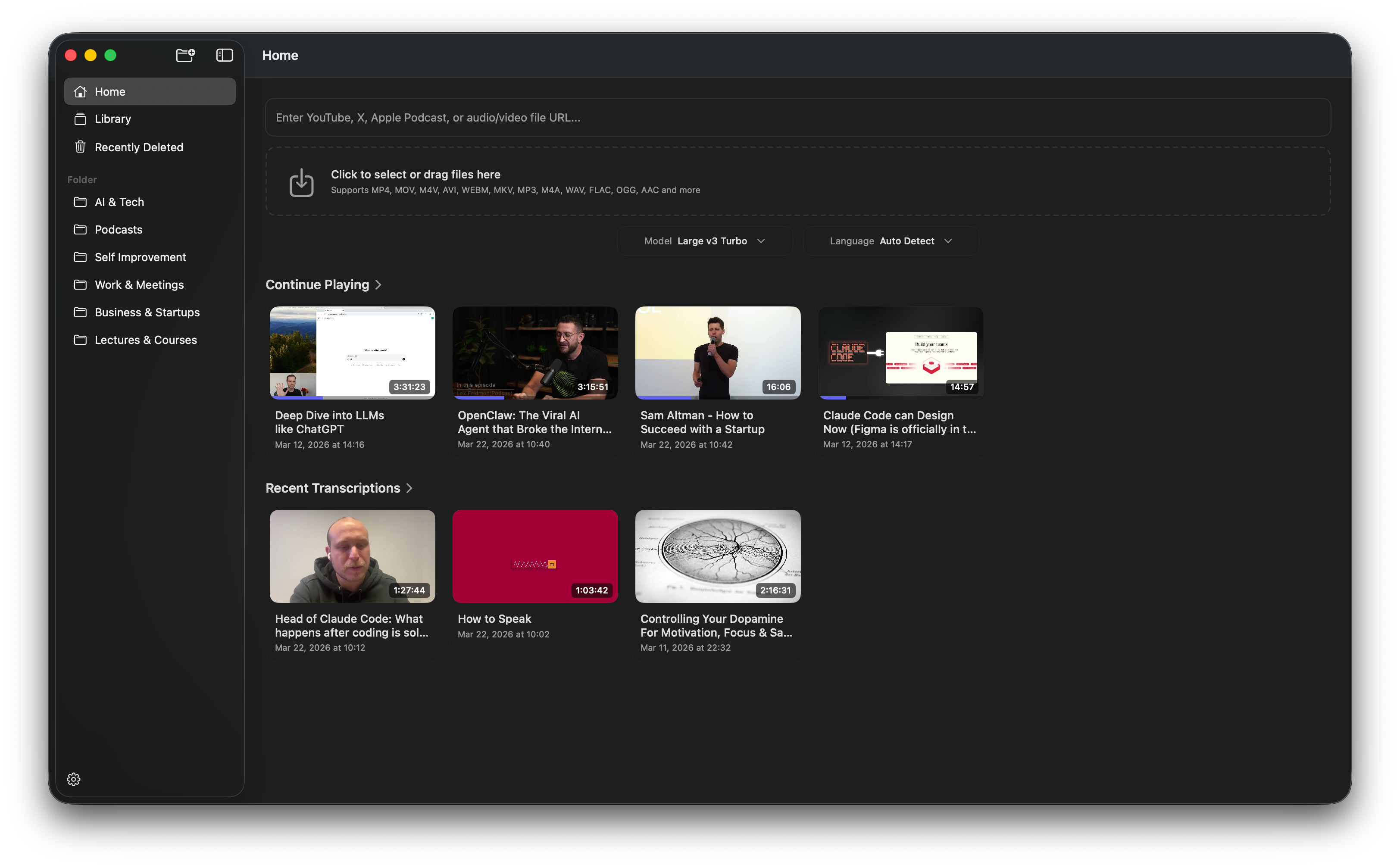
Import a link or file

Paste a video/audio URL (including YouTube, X, and other supported sites) or drag files in.

Step 1: Import a link or file

Step 2

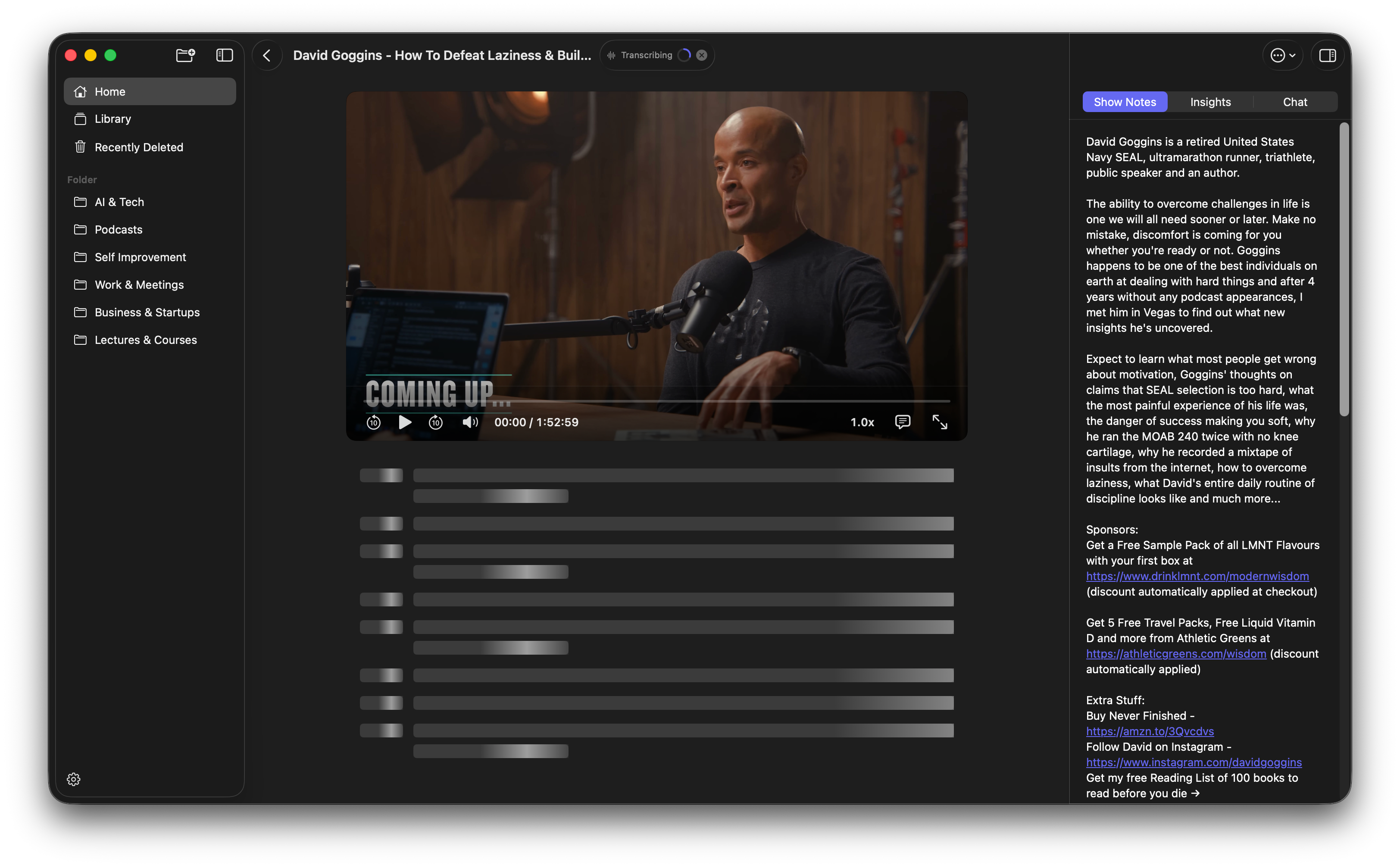
Get local transcripts with timestamps

Whisper transcription runs on your Mac, creating searchable text with time-aligned segments.

Step 2: Get local transcripts with timestamps

Step 3

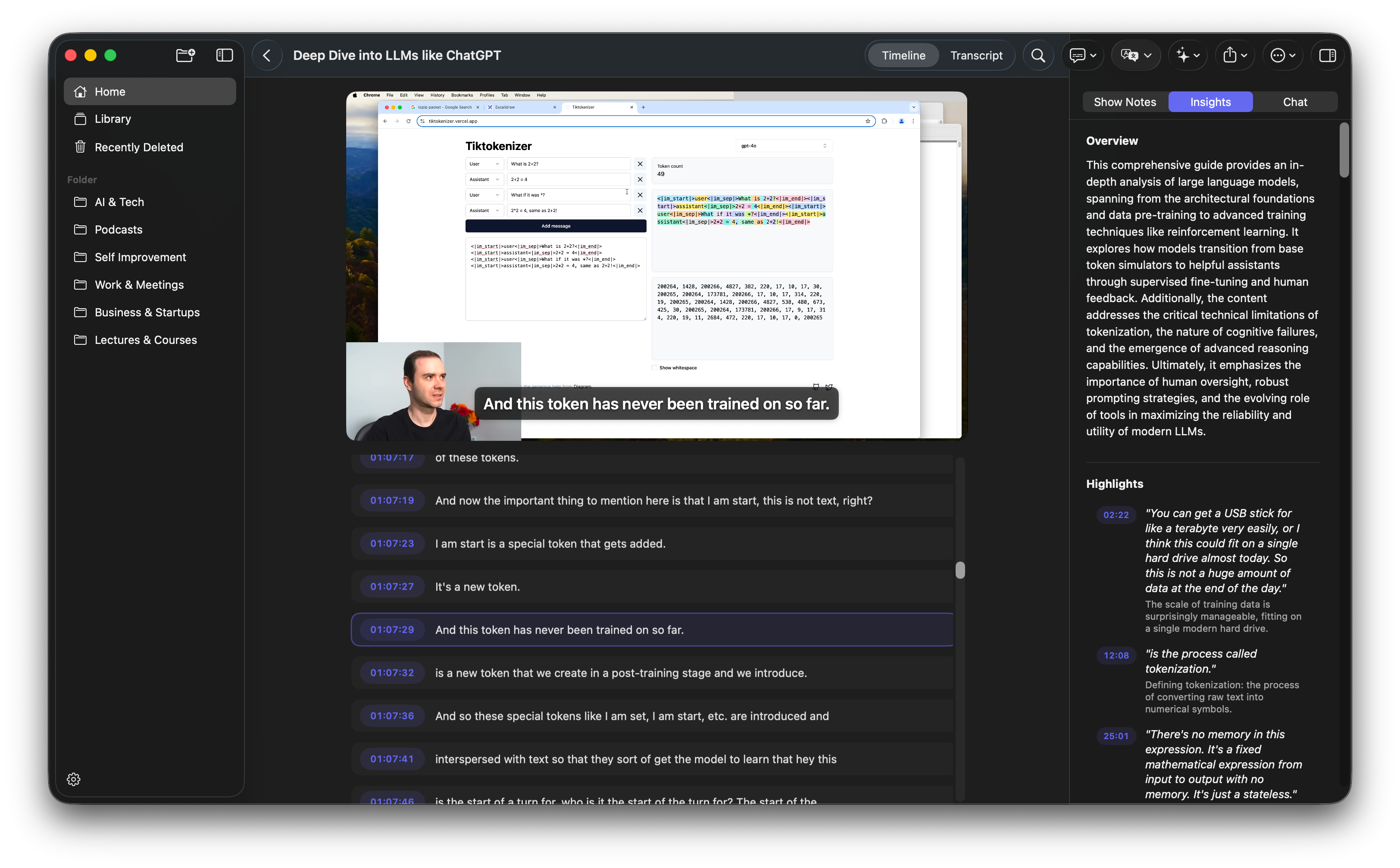
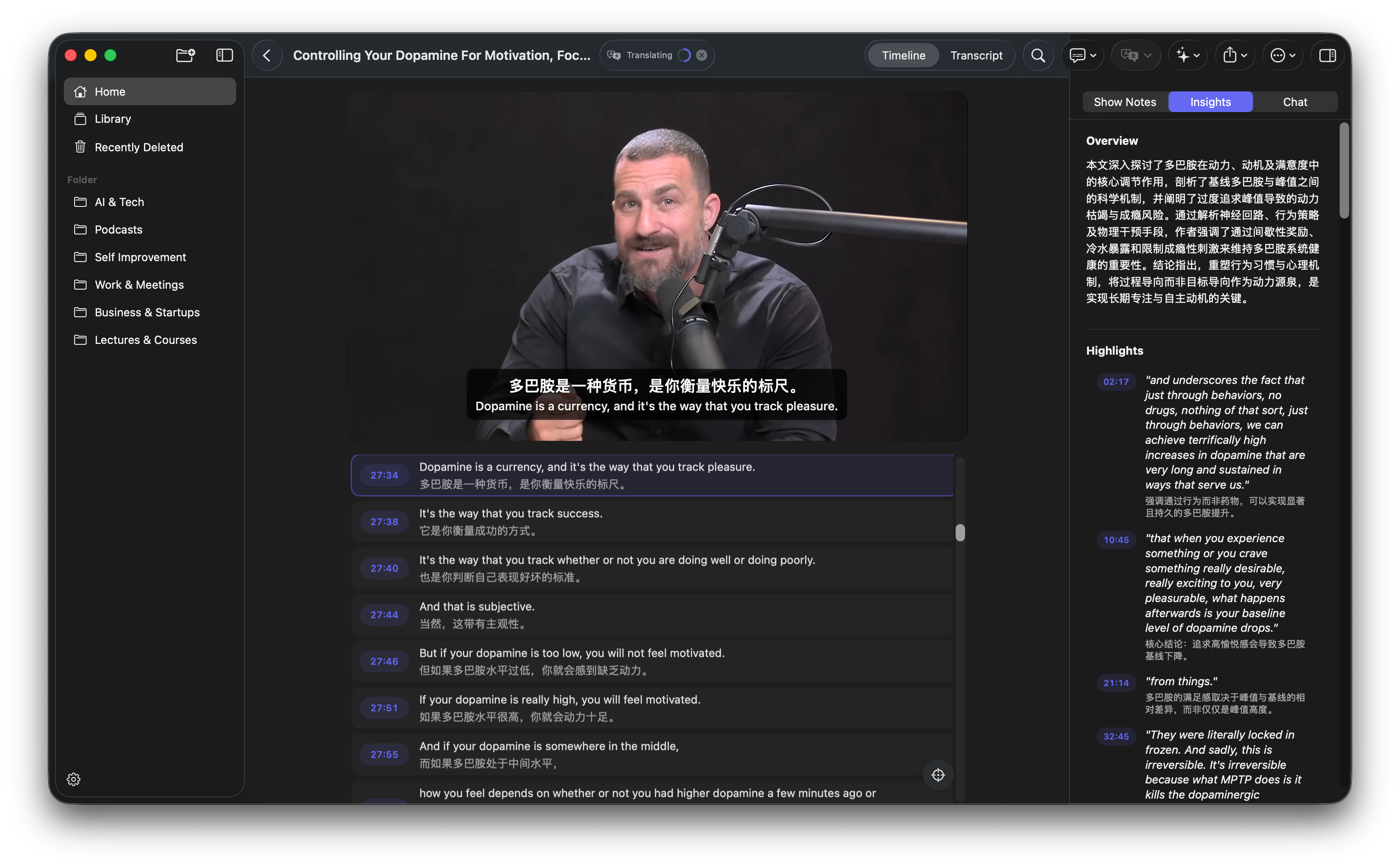
Generate chapters, summary, and AI chat

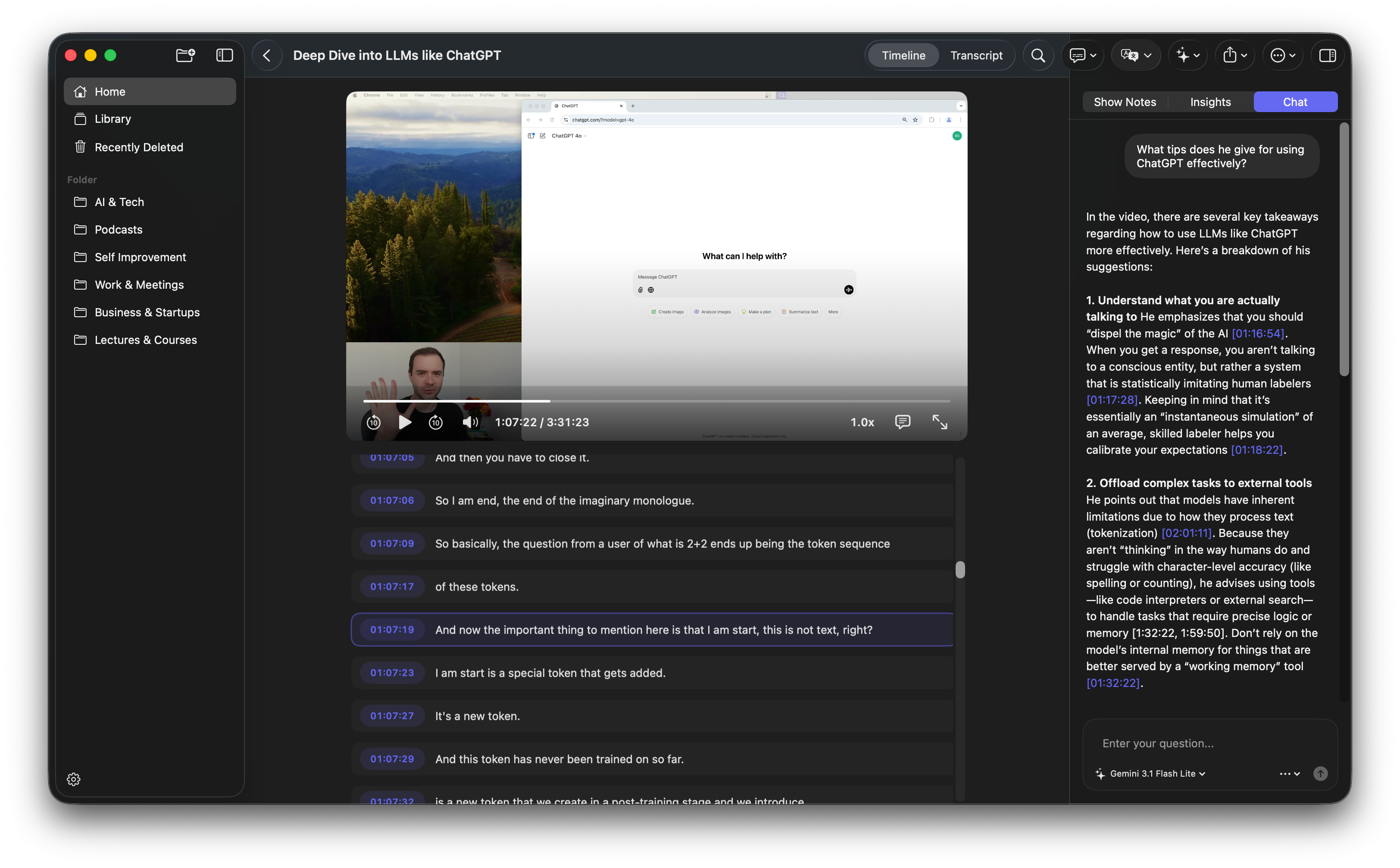
Auto-generate chapters and summaries, then ask follow-up questions — every answer links back to a specific timestamp.

Step 3: Generate chapters, summary, and AI chat

What You Actually Get from VidSage

Not just features. Tangible outcomes you can use for study, creation, and review workflows.

Import from Anywhere

Paste a link from YouTube, podcasts, or 1200+ supported sites — or drag in local video and audio files.

Local AI Transcription

Transcribe on-device with Whisper models. No upload, no cloud — your data stays on your Mac.

AI Chapters & Summary

Auto-generate structured chapters with timestamps and concise summaries from long recordings.

AI Chat with Citations

Ask questions about any recording and get answers with clickable timestamp references.

Translation & Bilingual View

Translate transcripts and view original and translated text side by side.

Flexible Export

Export subtitles as SRT, VTT, or structured Markdown notes — ready for your next workflow.

Who VidSage Helps

Four common ways people use VidSage every day.

Learners

Situation

Online courses and lecture recordings pile up faster than you can review them.

Action

Transcribe locally, skim AI-generated summaries, and jump to key moments by timestamp.

Outcome

Study in minutes what used to take hours of replay.

Creators

Situation

Extracting subtitles, quotes, and key moments from long footage is tedious.

Action

Auto-generate transcripts with timestamps, then export as SRT, VTT, or Markdown.

Outcome

Turn raw footage into publishable content faster.

Professionals

Situation

Important details get buried in hour-long meeting and training recordings.

Action

Search transcripts or ask AI to locate specific decisions and action items.

Outcome

Find what matters in minutes, not hours.

Researchers

Situation

Academic talks, interviews, and conference recordings need careful review.

Action

Transcribe with timestamps, generate structured notes, and search across content.

Outcome

Turn recordings into citable, searchable research material.

One Price. Clear Scope.

Pay once for VidSage. Bring your own AI provider keys when using cloud insights.

Free Version

Local transcription with base Whisper model · No time limit · No account needed

Download Free

Pro License

$39

One-time purchase · Up to 3 Macs · 14-day refund

Coming Soon

Prefer to try first? Download free trial

macOS 14+ · Apple Silicon only

Included with Pro

  • Activation on up to 3 Macs
  • Advanced local transcription models
  • AI Summaries & Chat
  • Translation and bilingual viewing
  • Subtitle and transcript export (SRT, VTT, TXT, Markdown)
  • 14-day money-back guarantee

AI provider usage is billed separately by your provider.

Questions Before You Buy

Is transcription really local and private?

Yes. VidSage runs transcription entirely on your Mac using local Whisper models. Your media files never leave your device for core transcription.

Can I use VidSage without API keys?

Yes. Transcription and transcript review work fully offline without any API key. API keys are only needed for optional cloud AI features like chapters, summaries, chat, and some translation paths.

What can I do before buying Pro?

The free version includes full local transcription with the base Whisper model and transcript browsing. Pro unlocks advanced transcription models, AI summaries, chat, translation, and export. No time limit on the free version — upgrade when you are ready.

What video and audio sources are supported?

You can paste links from YouTube, podcasts, X (Twitter), and 1,200+ other sites powered by yt-dlp. You can also drag in local video and audio files in all common formats (MP4, MOV, MP3, WAV, M4A, and more).

What happens on first run (model downloads)?

On first use, VidSage downloads a transcription model (145 MB–632 MB depending on your choice). Chat features also prepare a local embedding model (about 330 MB). After that, everything runs locally.

What's your refund policy?

We provide a 14-day money-back guarantee, no questions asked. See our refund policy for details.

What if I lose my license key?

No worries — you can retrieve it anytime from our license recovery page. Just enter your purchase email and you'll get a magic link to view all your orders and keys.

Get Started

Ready to Try VidSage?

Download VidSage and turn your next long video into searchable, structured knowledge in minutes.

Need Pro now? See pricing and buy for $39.